Hello friends at Marieú Technology Corporation, what are the WooCommerce pages? Indeed, in this step-by-step WooCommerce tutorial, you will learn and get familiar with the Shop page, Cart page, Checkout page, and My Account page—the core WooCommerce pages. 🏪✨
WooCommerce provides the open-source e-commerce service for the WordPress platform. Among some advantages, it is a complete tool for adding many product or service features, a wide catalog of free and paid extensions, a variety of payment gateways, and more. The plugin WooCommerce installation is done through WordPress or by following guidelines from its main page, where you can start building each of the WooCommerce pages for your WordPress E-commerce store that we will show you below.
What Are the Essential WooCommerce Pages for WordPress E-commerce?
WooCommerce is made up of four pages: a Shop page, a second Cart page, a third Checkout page, and finally, a fourth My Account page. What is that Shop page? The Shop page has the following layout, which is made up of each of your products. You can order them alphabetically, you can include filters, and also include prices, promotions, discounts—that is, a before price, an after price—and order them by categories.
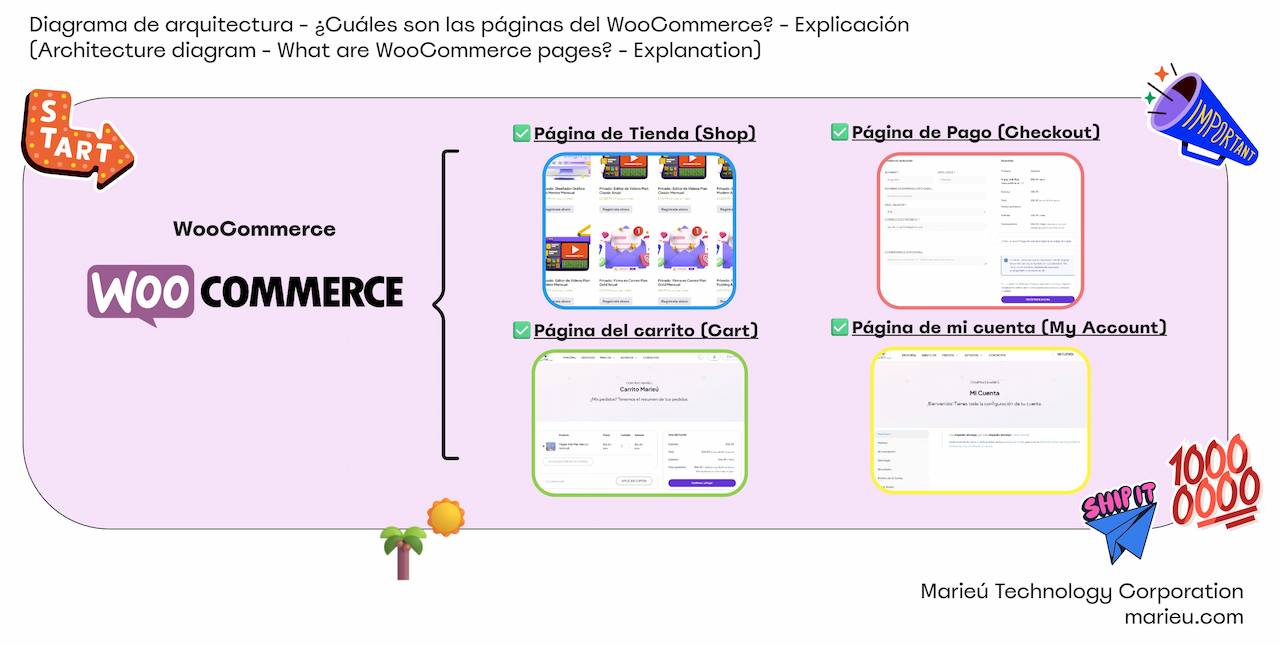
Diagram: What are the Core WooCommerce Pages?
Source: Author’s Own Work.
Perhaps, if you want a Class A product, a Class B product, and so on. This Shop page can be located on the first home page or, perhaps, within a prices page. An alternative to this Shop page, in case you have services and not products, would be the following. We are implementing it within Prices; we have all our services that we are offering. So, if we go to Website, we have the Marieú website price plans, and each of these tables has the “Buy” or “I Want It” button. When the user selects “Buy,” it is added to the shopping cart or the Cart page, which is made up of this next page.
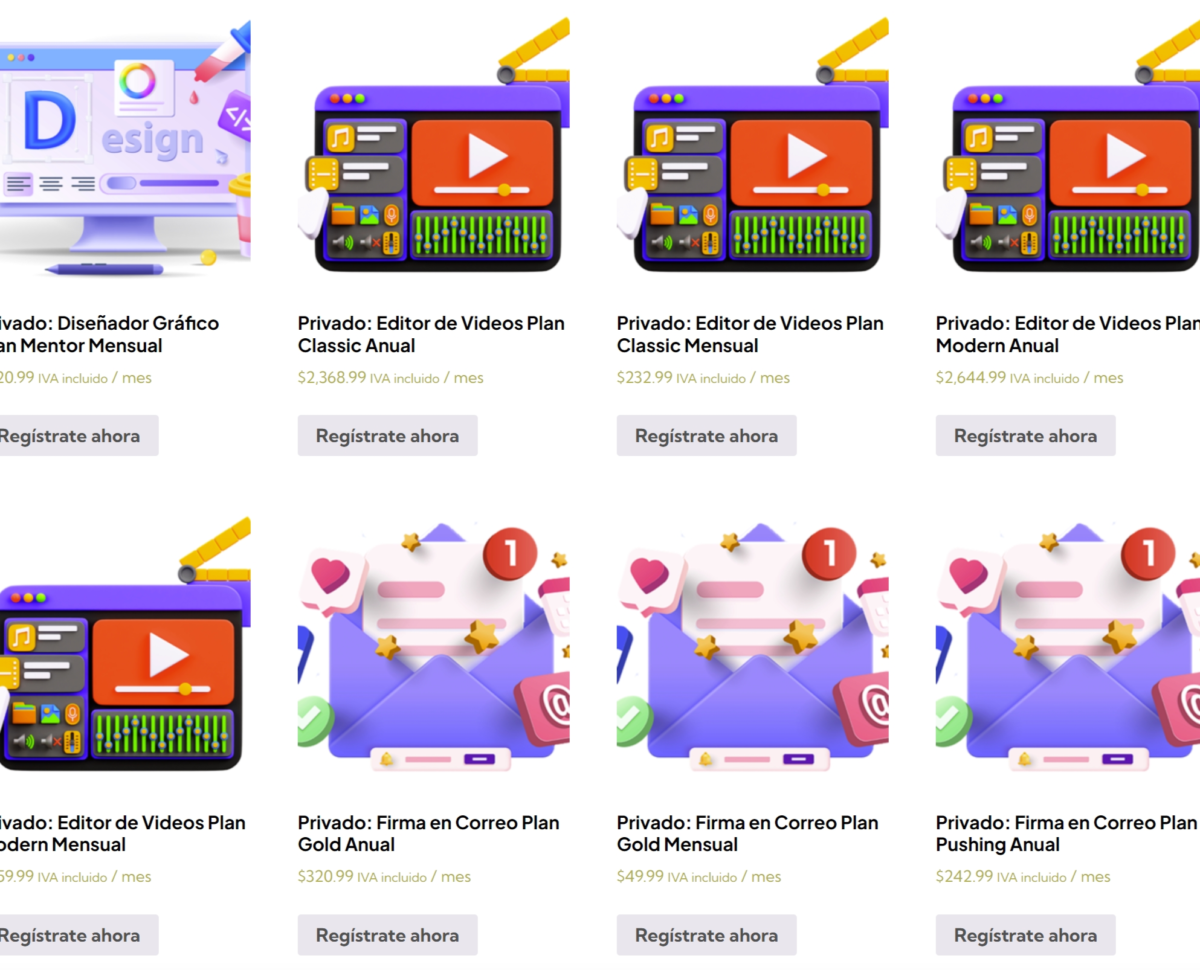
WooCommerce Pages: The Shop Page.
Source: Author’s Own Work.
The layout or design is as follows: as we added items to that cart on the previous page, they are added to this page. Imagine 5, 4, 20 products—this Cart page will be organized, adding more products. We have the price detail. We have the product description; in this case, it is a website with a medium plan, on a monthly basis—it is a monthly charge.
On the right side, we already have a small summary of what the cart contains. We have a subtotal, we have the total, and the periodic total, that is, the first renewal would be the following month, which would be March 3rd, and the same amount would be charged, which is $56.99.
In fact, we are going to make new tutorials with some recommended recurring payment platforms. We also have a coupon option. Internally, within WooCommerce, you can generate a coupon code and apply 50%, 70%—it will depend on each of you. Accordingly, if we click “Continue and Pay,” we would be moving to the next page.
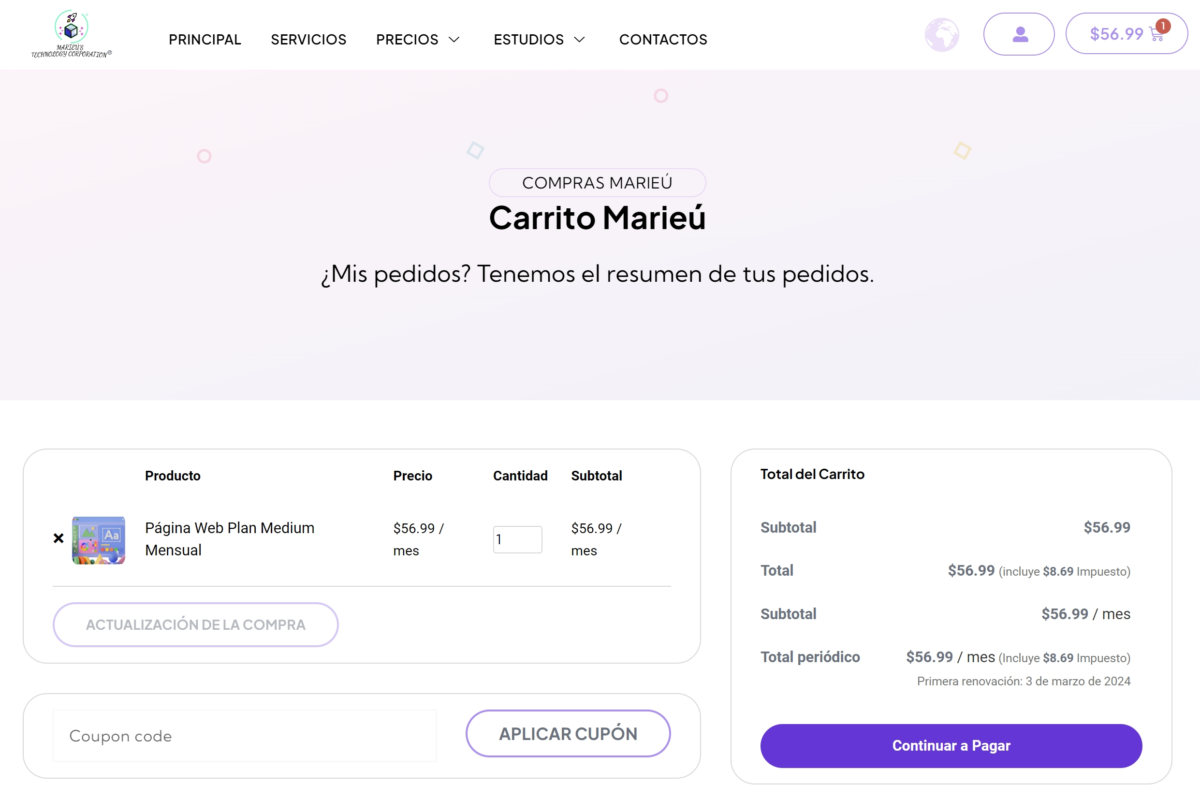
WooCommerce Pages: The Cart Page.
Source: Author’s Own Work.
What would that next page be? The Checkout page. This page has more fields for the user to complete so that an invoice or receipt can be generated, okay. In fact, WooCommerce gives you up to more than 12 fields to complete, some of which we can omit. If we provide a service instead of a product, it is not necessary to include a shipping field or an address.
In fact, they may only require a country, email, name, and perhaps some optional comments. We have that on the left hand, and on the right hand, we already have the order details: the summary of the cost or the periodic total, and, at the bottom, a payment gateway. This is where a payment gateway will be displayed. We currently have several on the market; we will also make a particular video to recommend some that we have applied.
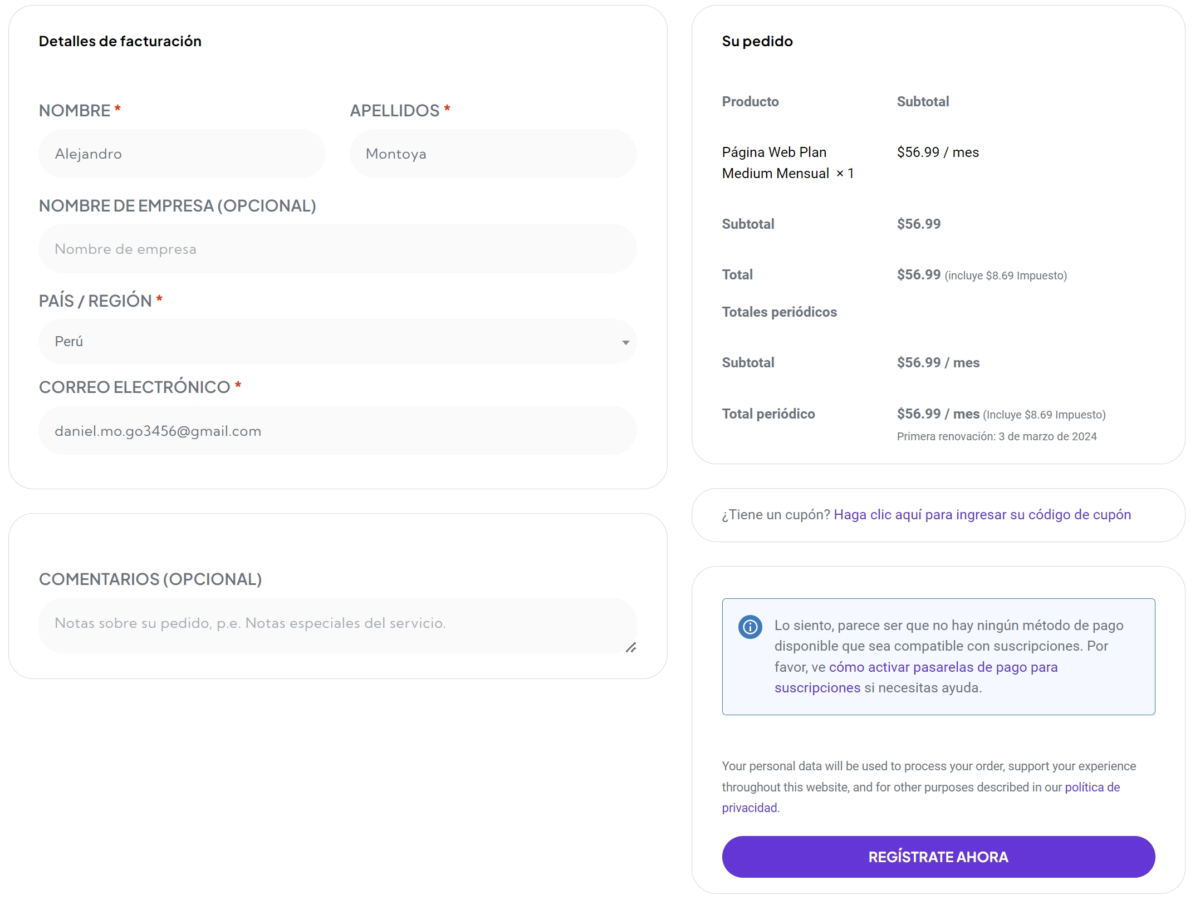
WooCommerce Pages: The Checkout Page.
Source: Author’s Own Work.
After this user Checkout page, once they have made the purchase, the account will be created. What would that My Account page be? We have it here. Alejandro, is it necessary to create this My Account page? Yes, the order that the customer has placed will be detailed. Within the Orders section, it will appear that they have made a purchase, with such an amount, with such characteristics. Perhaps it is a download; it will appear within the Download section. Also, all the data they included on the Checkout page will appear. All those details will be within their account.

WooCommerce Pages: The My Account Page.
Source: Author’s Own Work.
Final Thoughts
Alright, so basically that’s it, the four WooCommerce pages. By default, WooCommerce creates one more page, which is the Refund Policy. In case the customer, perhaps, wants to return your product within a period of 10 to 20 days, they must accept these Refund Policies. For each of these WooCommerce pages, we will tell you how it went for us and the recommendations for each of the integrations we have made within WooCommerce. Done, thanks friends at Marieú Technology Corporation!

THE AUTHOR
Daniel Alejandro Montoya Godenzi
Alejandro, holding a Master’s degree in Administration and Project Management and a Mechatronics Engineer, has experience in digital technology projects. He is part of the Marieú Technology Corporation team. In his free time, he enjoys creating new projects, reading a book, or watching a series.